
Every localization lead knows this moment. The app ships—clean, fast, English-only—and everyone exhales. Then, weeks later, the Slack message drops: “We need 10 languages by Q3.” No extra buffer. No refactor window. Just urgency. That’s when iOS internationalization stops being a technical afterthought and starts breaking your roadmap.
Without proper internationalization baked in, mobile app localization turns into controlled damage. Buttons overflow. Auto Layout collapses under German strings. Arabic flips your UI in ways no one tested. Dates, currencies, and pluralization rules behave unpredictably. And suddenly, what should’ve been a straightforward language rollout becomes a cascade of hotfixes, missed deadlines, and budget creep—exactly when stakeholders expect speed.
The risk isn’t theoretical. CSA Research consistently shows that 76% of consumers prefer to buy products with information in their own language, and 40% won’t purchase at all if it’s not localized. For teams building multilingual iOS apps, that gap translates directly into lost adoption.
This is why strong internationalization is a localization strategy decision. Apple gives teams powerful tools—base internationalization, Auto Layout, string catalogs, and locale-aware APIs—but without a plan that aligns engineering and localization early, those tools arrive too late to save Q3.
This guide is written for localization and product leads who don’t want to “fix strings later.” We’ll walk through how iOS internationalization really works, where teams most often go wrong, and how to set up an iOS pipeline that scales cleanly across language
What iOS Internationalization Actually Means
If you’ve ever heard “we’ll just send the strings to translation” and felt a quiet sense of dread, this section is for you. In Apple’s ecosystem, internationalization and localization are not interchangeable steps—and treating them as such is one of the fastest ways to derail an iOS release.
Internationalization is the foundation. Localization is what you build on top of it. When teams reverse that order, every new language multiplies complexity instead of scaling cleanly.
Let’s reset the terms the Apple way—and more importantly, the way localization leads need to understand them.
Internationalization vs. Localization in Apple’s World
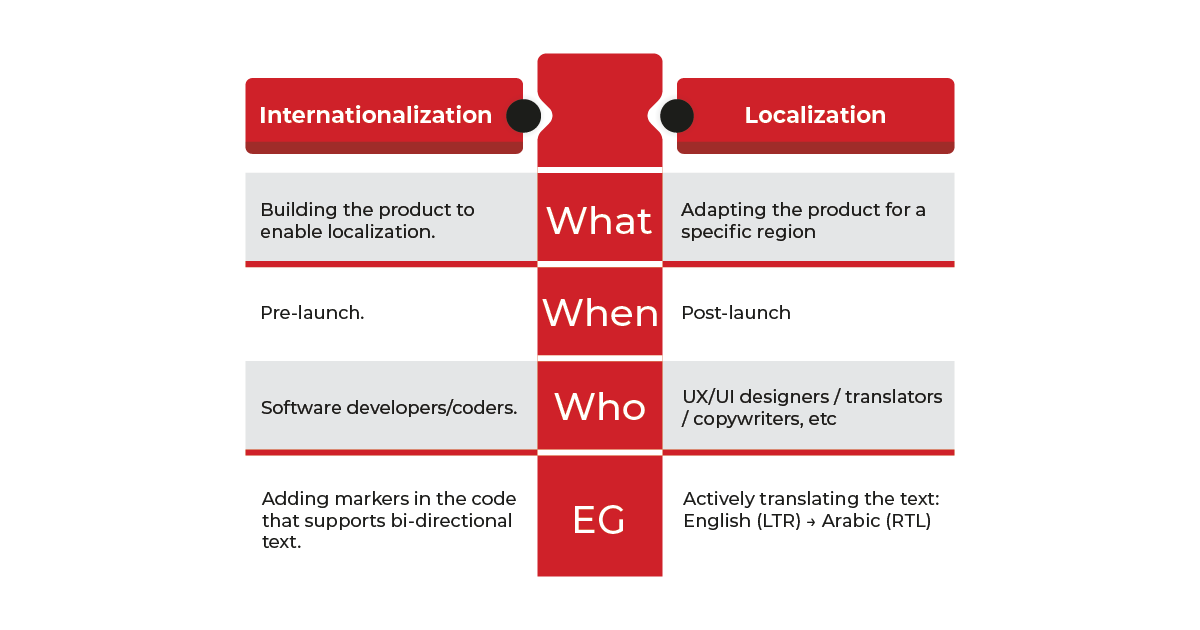
Apple is very explicit about this distinction in its developer documentation:
- Internationalization (i18n) is the process of designing and engineering your app so it can adapt to different languages, regions, and writing systems without code changes.
- Localization (l10n) is the act of providing translated strings, locale-specific assets, and cultural adaptations for each target market.
In practical terms, internationalization answers questions like:
- Can this UI expand safely when text length increases by 30–40%?
- Does the app support right-to-left (RTL) support and bidirectional text?
- Are dates, numbers, currencies, and plurals rendered dynamically by locale?
- Can translators work without touching source code?
Localization, by contrast, answers:
- What is the correct translation for this string in Japanese?
- Should this image or color choice change for a specific market?
- Do legal or UX conventions differ by region?
How Xcode and Foundation APIs Enable Proper Internationalization
iOS provides a mature internationalization stack, but it only works when teams commit to it from the start.
At the tooling level, Xcode localization supports:
- Base Internationalization, which separates UI structure from language content
- String Catalogs (.xcstrings), enabling centralized string management and plural rules
- Auto Layout and Size Classes, allowing flexible UI expansion
- Asset catalogs with language- and locale-specific variants
At the framework level, Foundation APIs handle the heavy lifting:
- Locale, Calendar, and DateFormatter for region-aware formatting
- NumberFormatter for currencies, decimals, and grouping
- Native pluralization rules via .stringsdict
- Built-in right-to-left layout mirroring for Arabic and Hebrew
When implemented correctly, this setup allows one codebase to adapt seamlessly across markets. When skipped, localization teams inherit brittle layouts, hard-coded strings, and UI decisions that silently assume English.
And the cost of fixing that later is not trivial. According to the Systems Sciences Institute at IBM, defects fixed after release can cost up to 15× more than those caught earlier in development.
Why Internationalization Must Come Before Translation
From a localization delivery perspective, this is where timelines either hold or collapse.
When an iOS app is properly internationalized:
- Translators work with clean, isolated strings.
- Context is preserved through comments and structured keys.
- UI testing focuses on language behavior, not layout repair.
- New languages slot into an existing localization workflow.
When it isn’t:
- Strings are embedded in code.
- UI truncation is discovered post-translation.
- Engineers are pulled back into “quick fixes.”
- Localization schedules slip quietly at first, then become visibly delayed.
The business impact is measurable. According to Shopify research, companies that use localized personalization techniques see conversion rates 10% to 15% higher, reinforcing a simple truth for iOS teams: language readiness affects revenue.
Localization Examples That Show What “Done Right” Looks Like.
A Practical iOS Internationalization Workflow Localization Leads Can Actually Run!
If you lead localization, iOS internationalization sits right at the intersection of product strategy, engineering reality, and vendor execution. When the workflow is clear, launches feel boring—in the best possible way. When it’s fuzzy, every language becomes a fire drill.
Below is a step-by-step iOS internationalization workflow designed for localization leads who need repeatability, predictability, and clean handoffs.
Step 1 – Lock Markets, Locales, and UX Expectations Early
Decide what “done” looks like before code or translation starts.
Before touching strings or tools, clarify the expansion scope in business and UX terms.
What to define upfront
- Target markets and locales (language + region)
- Writing direction (LTR vs RTL)
- App Store localization scope vs in-app localization
- Locale-specific UX expectations (date formats, currencies, calendars, units)
- Regulatory or cultural constraints that affect content
Step 2 – Audit the App for i18n Readiness
An internationalization audit tells you whether the app can survive localization.
Key checks to run with engineering
- Base Internationalization enabled in Xcode
- Auto Layout fully implemented (no fixed-width UI)
- No hard-coded strings in code or storyboards
- RTL layout mirroring tested
- Locale-aware APIs used for dates, numbers, and currencies
- Pluralization handled via .stringsdict, not concatenation
Step 3 – Align with Developers on String Architecture
If strings are messy, everything downstream suffers.This is where localization leads earn trust with engineering.
Alignment checklist
- Are strings managed through String Catalogs (.xcstrings)?
- Are keys stable and human-readable?
- Are developer comments added for context?
- Are plurals and gender handled structurally?
- Are screenshots or UI references attached to strings?
Clean string architecture accelerates translation and reduces QA churn.
Step 4 – Operationalize XLIFF, TMS, and Vendor Collaboration
At this stage, internationalization meets production reality.
What a healthy pipeline includes
- Consistent XLIFF export/import from Xcode
- Version-controlled string files
- Automated handoff into your TMS
- Terminology and style guides embedded in the workflow
- Clear ownership for string freezes and late changes
Step 5 – Build a Repeatable QA and Release Loop
Final QA is where internationalization decisions show their value or their cracks.
QA essentials
- Pseudo-localization testing before real languages
- Language-specific UI reviews (especially long and RTL languages)
- Linguistic QA tied to real devices, not screenshots alone
- App Store metadata checks per locale
- A documented sign-off process before submission
Apps that skip structured QA often pay in public. App Store reviews consistently cite broken localization as a UX issue, directly affecting ratings and retention, especially in non-English markets.
Business Translation Services That Keep Your Product Launch-Ready.
Common iOS Internationalization Traps That Quietly Break Global Releases
Most iOS localization failures don’t come from bad translation. They come from perfectly normal development shortcuts that work fine in English and fall apart everywhere else.
Apple, localization platforms, and iOS practitioners have been flagging the same issues for years—yet teams still trip over them under deadline pressure.
Below are the most common iOS internationalization pitfalls, why they matter, and how localization leads can steer teams away from them early.
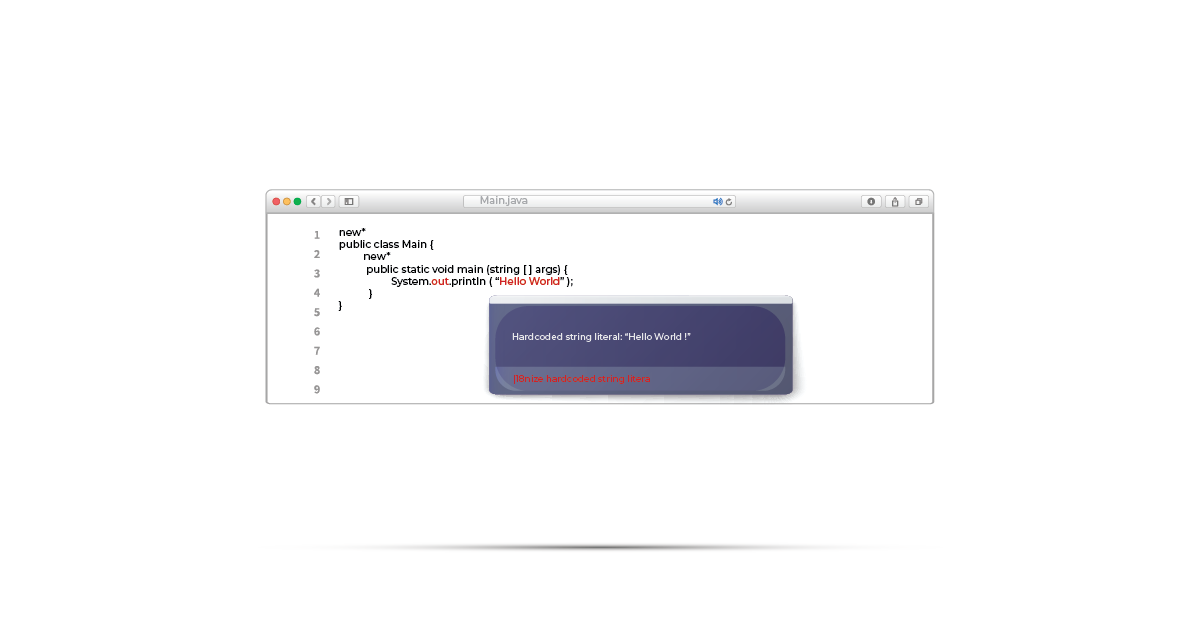
1. Hard-Coded Strings Buried in Code
When text lives directly in Swift files or storyboards without localization keys, every language expansion becomes a manual cleanup exercise.
Why it hurts
- Strings get missed during export.
- Translators never see them.
- Engineers get pulled back into “quick fixes.”
The fix
- Enforce centralized string management via String Catalogs (.xcstrings)
- Block merges with hard-coded user-facing text.
- Treat string extraction as part of your definition of done.
2. Building Sentences by Concatenation
Joining strings like “You have ” + count + ” messages” assumes word order, grammar, and agreement rules that simply do not translate.
Why it hurts
- Word order varies by language.
- Gender and case get lost.
- Translators cannot reorder meaning safely.
The fix
- Use full sentences with placeholders.
- Let translators control structure.
- Never assemble sentences from fragments.
3. Ignoring Pluralization and Grammatical Rules
English has two plural forms. Arabic has six. Russian has several. Many languages also require grammatical agreement based on number and gender.
Why it hurts
- “1 item” bugs ship to production.
- UX feels amateur in non-English markets.
- Fixes require string redesign, not just translation.
The fix
- Use .stringsdict for pluralization.
- Let iOS handle locale rules natively.
- Avoid logic-based plural hacks in code.
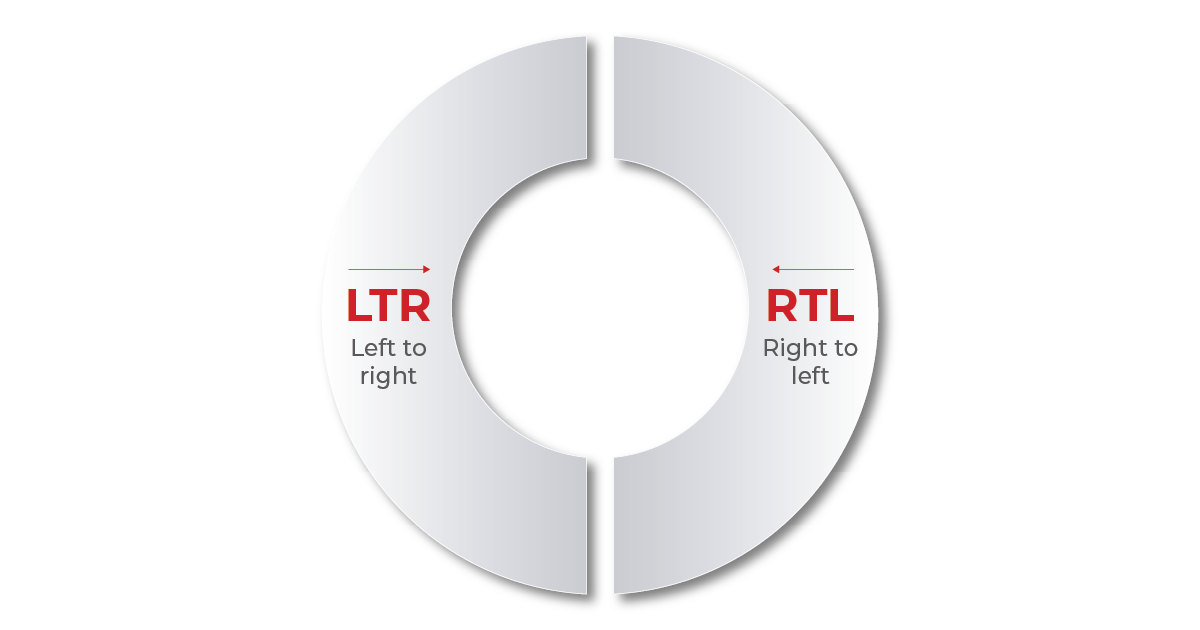
4. Forgetting Right-to-Left Layouts
Arabic and Hebrew require full UI mirroring. Testing only LTR layouts creates false confidence.
Why it hurts
- Navigation breaks.
- Icons point the wrong way.
- Visual hierarchy collapses.
The fix
- Enable RTL testing early.
- Use Auto Layout and semantic content attributes.
- Avoid absolute positioning.
Throughout this guide, one pattern keeps repeating: when internationalization is treated as a foundational layer, localization becomes faster, cleaner, and far more predictable. UI holds. Engineers stay focused. Translators work with clarity. Releases stop feeling like rescue missions. And new markets stop feeling “risky.”
That’s the point where localization stops being a cost center and starts behaving like a growth engine.
At AsiaLocalize, this is exactly where we step in. We work with product, engineering, and localization teams to:
- Audit iOS apps for internationalization readiness.
- Align string architecture, XLIFF workflows, and TMS pipelines.
- Support clean handoffs between developers and linguists.
- Deliver app localization that survives real-world expansion, language by language.
If your roadmap includes new markets, new languages, or faster releases, internationalization is something to get right.
That’s why we’re here to help you do it properly and do it once!
Explore our Technical Translation Services.