
Every localization lead has gone through this experience before. After the release of the app – polished, fast, English-language-only content, and now everybody assumes that set too. Then, after days or even weeks have passed, you receive a message on Slack, saying: “I need 10 languages by Q3.”
That is the moment where iOS internationalization moves from being an optional feature to becoming a minefield on your roadmap.
Once internationalization isn’t a part of the process from the beginning, mobile app localization quickly becomes a feat of controlled damage limitation. Buttons overflow. Auto Layout implodes beneath German nouns. Arabic flips your entire UI unexpectedly. Dates, currency values, and plural rules don’t behave how you’d expect.
In short, your “easy” language launch turns into a never-ending fire drill of fixes and schedule misses, just when your stakeholders expect you to deliver rapidly.
The risk is real. A 2020 CSA Research survey of 8,709 consumers found that 76% of online shoppers prefer to buy products with information in their native language, and 40% never buy from websites in other languages. For engineering teams building global iOS apps, this gap turns into unrealized adoption.
This is precisely why good internationalization is a localization strategy. Apple gives engineering teams robust tools-based internationalization, Auto Layout, string catalogs, and locale-aware APIs, but those tools are useless if the localization team and the engineers do not create a plan upfront that the tools can support before the end of Q3.
This guide is written for localization and product leaders who do not wish to “fix strings later”. We will show how iOS internationalization really works, where teams commonly make the mistake, and how to build an iOS pipeline that can easily scale across languages.
What iOS Internationalization Really Means
Within the Apple ecosystem, internationalization and localization are NOT interchangeable concepts, and mixing them up will ensure a release goes down a rabbit hole guaranteed.
Internationalization is the foundation. Localization is what you build on top of it. When teams do it backward, each additional language added exponentially increases complexity rather than being a linearly scaling change.
Let’s reset the terms the Apple way, the way localization leads need to understand them.
Internationalization vs. Localization in Apple’s World
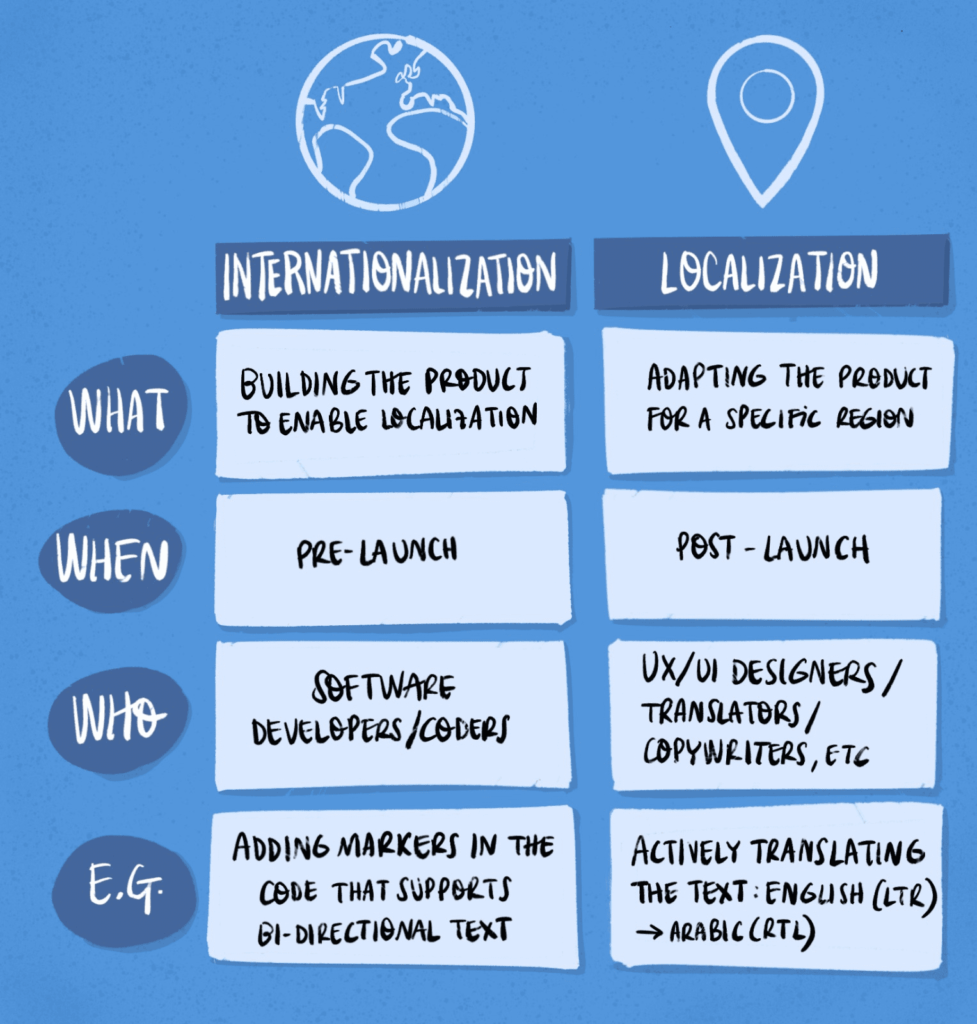
Apple is particularly clear on this point in its documentation:
Internationalization (i18n) is the design and development of your app to make it adaptable to new languages, cultures, and scripts without code changes.
Localization (l10n) is the process of providing translations and culturally appropriate assets for each specific market.
On a technical level, internationalization will ask:
- Can this UI scale up when text expands 30-40% in length?
- Does this app have RTL and bidirectional text support?
- Do dates, currency symbols, number formats, and plural forms vary depending on the user’s locale?
- Is it possible to translate the application without changing any source code?
Whereas localization will ask:
- How should this string be translated into Japanese?
- Are there images or colors that need to change per locale?
- Are there regional differences in legal requirements or UX standards?
Xcode & Foundation APIs that Make Internationalization Work Right
The iOS platform has a well-developed infrastructure for internationalization, but it only functions as intended when developers decide to take advantage of it upfront.
From a tooling standpoint, Xcode localization features include:
- Base Internationalization to separate the UI structure from localized text
- Strings Catalogs (.xcstrings files) for centralizing text storage and pluralization
- Auto Layout & Size Classes to expand the app UI
- Localized asset catalogs
From a foundation standpoint, Foundation APIs provide the following:
- Locale, Calendar, and DateFormatter classes for regional-specific formatting
- NumberFormatter for currency, decimals, and number groupings
- In-app native plurals using .stringsdict files
- Native RTL mirroring for Arabic & Hebrew languages
Proper implementation of these components ensures that developers can have one codebase working across different countries. Ignoring this approach leads to fragile designs, hardcoded strings, and assumptions about English-only UI.
Unfortunately, fixing these issues post-release comes with a hefty price tag. According to the Systems Sciences Institute at IBM, fixing bugs after software release is up to 15x more expensive than addressing them during development.
Why Internationalization Should Precede Localization
In terms of localization delivery, this is where the timelines make or break.
For a well-internationalized iOS application:
- The translators have access to clear, standalone strings.
- Contextual information remains intact through comments and key structuring.
- Testing is concentrated on language functionality rather than correcting the UI.
- Adding more languages to the list requires minimal adjustment within the localization pipeline.
For an under-internationalized application:
- The strings are embedded in the code.
- UI trimming occurs after translation is done.
- Engineers find themselves fixing the same issues repeatedly.
- The localization process becomes increasingly delayed without initially drawing attention.
The financial implications are undeniable. Based on data from Shopify, businesses utilizing localized personalization strategies experience conversion rate increases by 10-15%. The lesson is straightforward for any iOS development team: the ability to support multiple languages can directly impact profitability.
See Localization Examples Done Right.
The Practical iOS Internationalization Workflow for Localization Leads to Really Execute!
As a localization lead, you know that iOS internationalization happens exactly where strategy meets implementation. The clearer the workflow, the less exciting your launches will be, only in a good way! If there is a lot of confusion, then each new language turns into a nightmare.
What follows is a step-by-step iOS internationalization workflow geared towards localization leads.
Step 1 – Lock Markets, Locales, and UX Expectations Early
Decide what “done” looks like before code or translation starts.
Before touching strings or tools, clarify the expansion scope in business and UX terms.
What to define upfront
- Target markets and locales (language + region)
- Writing direction (LTR vs RTL)
- App Store localization scope vs in-app localization
- Locale-specific UX expectations (date formats, currencies, calendars, units)
- Regulatory or cultural constraints that affect content
Step 2 – Audit the App for i18n Readiness
An internationalization audit tells you whether the app can survive localization.
Key checks to run with engineering
- Base Internationalization enabled in Xcode
- Auto Layout fully implemented (no fixed-width UI)
- No hard-coded strings in code or storyboards
- RTL layout mirroring tested
- Locale-aware APIs used for dates, numbers, and currencies
- Pluralization handled via .stringsdict, not concatenation
Step 3 – Align with Developers on String Architecture
If strings are messy, everything downstream suffers.This is where localization leads earn trust with engineering.
Alignment checklist
- Are strings managed through String Catalogs (.xcstrings)?
- Are keys stable and human-readable?
- Are developer comments added for context?
- Are plurals and gender handled structurally?
- Are screenshots or UI references attached to strings?
Clean string architecture accelerates translation and reduces QA churn.
Step 4 – Operationalize XLIFF, TMS, and Vendor Collaboration
At this stage, internationalization meets production reality.
What a healthy pipeline includes
- Consistent XLIFF export/import from Xcode
- Version-controlled string files
- Automated handoff into your TMS
- Terminology and style guides embedded in the workflow
- Clear ownership for string freezes and late changes
Step 5 – Build a Repeatable QA and Release Loop
Final QA is where internationalization decisions show their value or their cracks.
QA essentials
- Pseudo-localization testing before real languages
- Language-specific UI reviews (especially long and RTL languages)
- Linguistic QA tied to real devices, not screenshots alone
- App Store metadata checks per locale
- A documented sign-off process before submission
Apps that skip structured QA often pay in public. App Store reviews consistently cite broken localization as a UX issue, directly affecting ratings and retention, especially in non-English markets.
Business Translation Services That Keep Your Product Launch-Ready.
Quiet Killers of Your iOS Internationalization Efforts
iOS localization efforts rarely fail due to inaccurate translations. Instead, it is the typical development process shortcuts that work well in English but fall flat in other languages.
Apple, localization platforms, and iOS professionals have long pointed out these concerns, yet teams continue to stumble into them when time runs out.
The following is a list of some of the most prevalent iOS internationalization mistakes, why they pose such a risk, and how to avoid them.
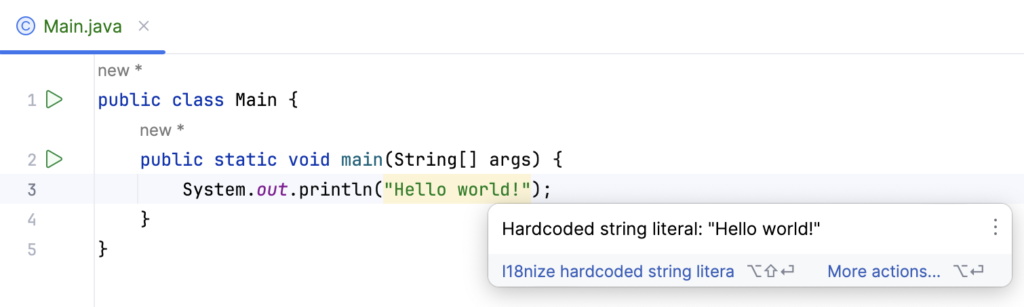
1. Hard-Coded Strings Buried in Code
If strings reside within Swift files or storyboards without being associated with localized strings, each localization effort is doubled yet tripled.
How it’s broken
- Strings are often overlooked when exporting.
- They don’t show up on translators’ radars.
- “Quick fixes” pull engineers away from their main tasks.
Solution
- Force string management with String Catalogs (.xcstrings).
- Prevent merging with hardcoded user strings.
- String extraction must be part of what “done” means.
2. Building Sentences by Concatenation
Attaching pieces to make something like “You have” + count + “messages” requires an understanding of word order, grammar, and agreement conventions that are not transferable.
Why it hurts
- Word order is language-specific.
- Gender and number information disappear.
- Meaning cannot be reconstituted.
Solution
- Use sentences with blanks.
- Let professional translators dictate sentence structure.
- Always use whole sentences.
3. Ignoring Pluralization and Grammatical Rules
In English, there are two forms of the plural. In Arabic, there are six forms. Russian has many plural forms. Several languages demand grammatical agreement according to gender and number.
How it impacts you
- “1 item” irritates the developer as it goes live.
- Poor UX in markets other than English.
- Fixes involve redefining strings, rather than translating.
Solution
- Use stringsdict for pluralization.
- Let iOS automatically deal with locale conventions.
- Don’t hack around with logic for pluralization.
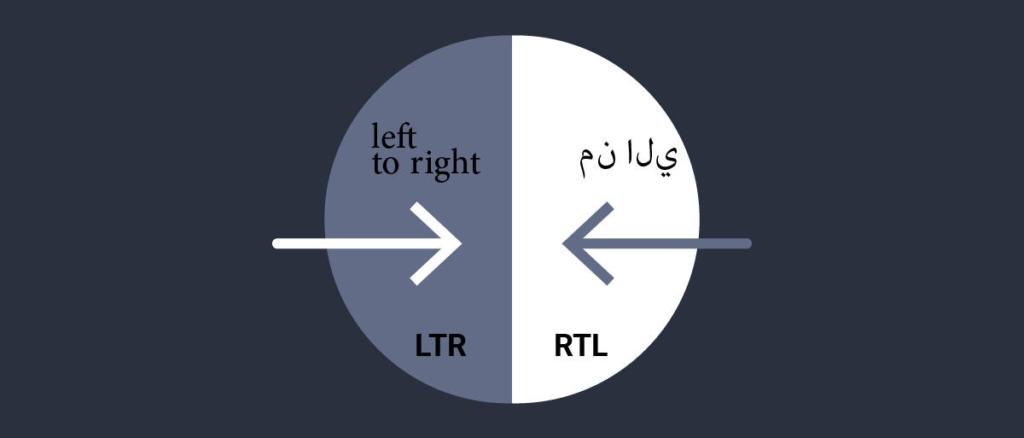
4. Forgetting Right-to-Left Layouts
Arabic and Hebrew need UI mirroring. Limiting testing to left-to-right leads to false satisfaction.
Why it’s bad
- Navigation is disrupted.
- Icons get reversed.
- Hierarchy disappears.
Solution
- Start RTL testing early.
- Utilize Auto Layout and semantic attributes.
- Stay away from absolutes.
This theme has been consistent throughout the article: localization becomes easier and more predictable when internationalization is handled as the foundation.
UI stays intact. Engineers maintain focus. Translators know exactly what they’re dealing with. Releases become a non-crisis event. And new markets become “not risky”.
And this is precisely the stage at which localization ceases being an expense and begins acting like a growth driver.
At AsiaLocalize, this is where we come into play. We partner with product, engineering, and localization departments to:
- Perform iOS app internationalization audit.
- Ensure proper string architecture and alignment with XLIFF workflows and TMS pipelines.
- Provide smooth handovers between development and translation teams.
- Ensure proper app localization that will withstand any international expansion, language after language.
If future plans include entering new markets, adding new languages, and/or quickening release cycles, then internationalization is the area that requires particular attention.
Which is why we exist to help you get there right and once!
Find out more about Technical Translation Services.